
NFC Tag Creator Studio
Program, read and protect NFC tags — one at a time or in batches.
A desktop app that works with PC/SC-compatible NFC readers. vCard contacts, links, Wi-Fi networks, locations and 20+ other data types. Every write is verified by reading it back.
- Windows
- Linux
- macOS
- NTAG21x
- MIFARE Classic
- 5 languages
How it works
Three steps to a ready tag
1
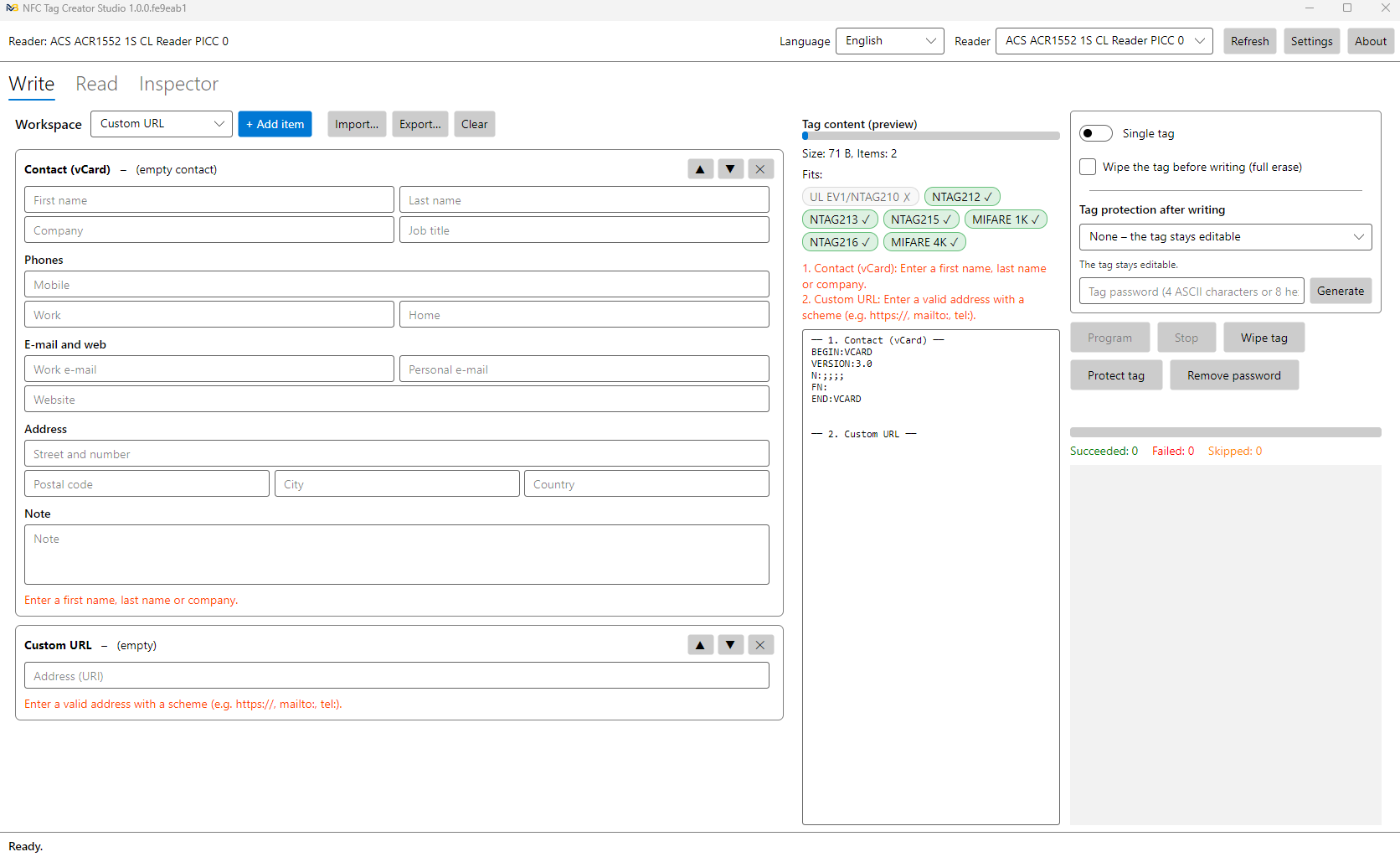
Compose the content
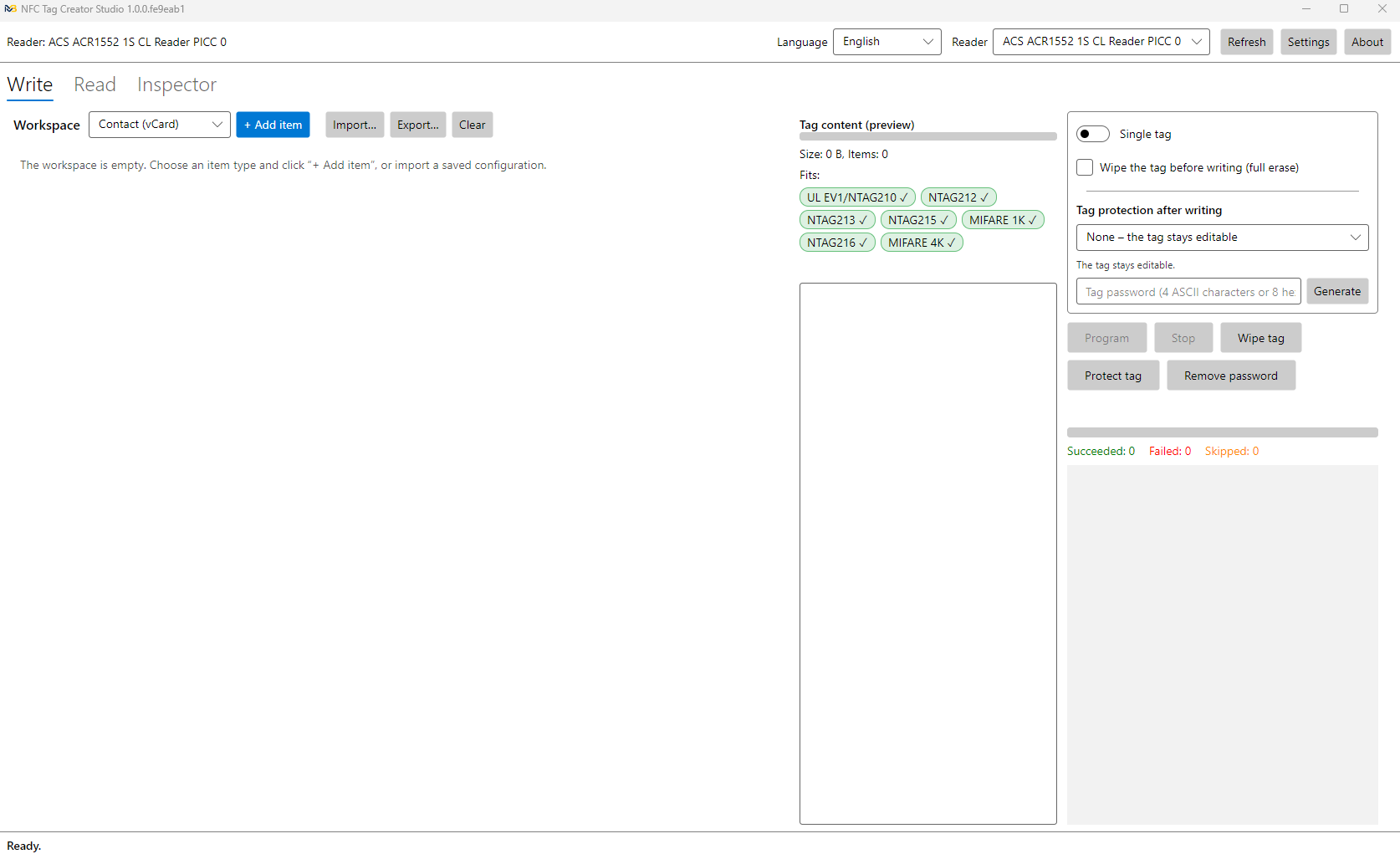
Add items to the workspace: a contact card, a link, Wi-Fi, a location… The live preview shows the data size and which tags it fits on.
2
Tap the tag
Program a single tag or a whole batch — the app detects each new tag and tracks the progress.
3
Done and verified
Every write is verified by reading it back. Optionally protect the tag with a password or lock it permanently.
Data types
What you can write
More than 20 ready-made item types. Combine several of them on a single tag.
- Contact (vCard)
- Text
- URL
- Custom URL
- Search
- Payment link
- Social network
- Video
- File
- Application
- Phone number
- SMS
- Location
- Custom location
- Address
- Navigation
- Street View
- Emergency information
- Bluetooth
- Wi-Fi network
- 3D print
- Custom data
- RAW record
Features
Everything you need to work with NFC tags
Batch programming
Write a single tag or a whole series with a “Programmed X / N” counter — or unlimited. The same tag is never written twice, and after a brief communication error the app can retry the write automatically.
Verified writes
Every tag is read back and compared after writing, so you know the data is correct.
Tag protection
Password — any phone can read the tag, but changes need the password. Permanent lock — read-only, irreversibly.
Continuous reading
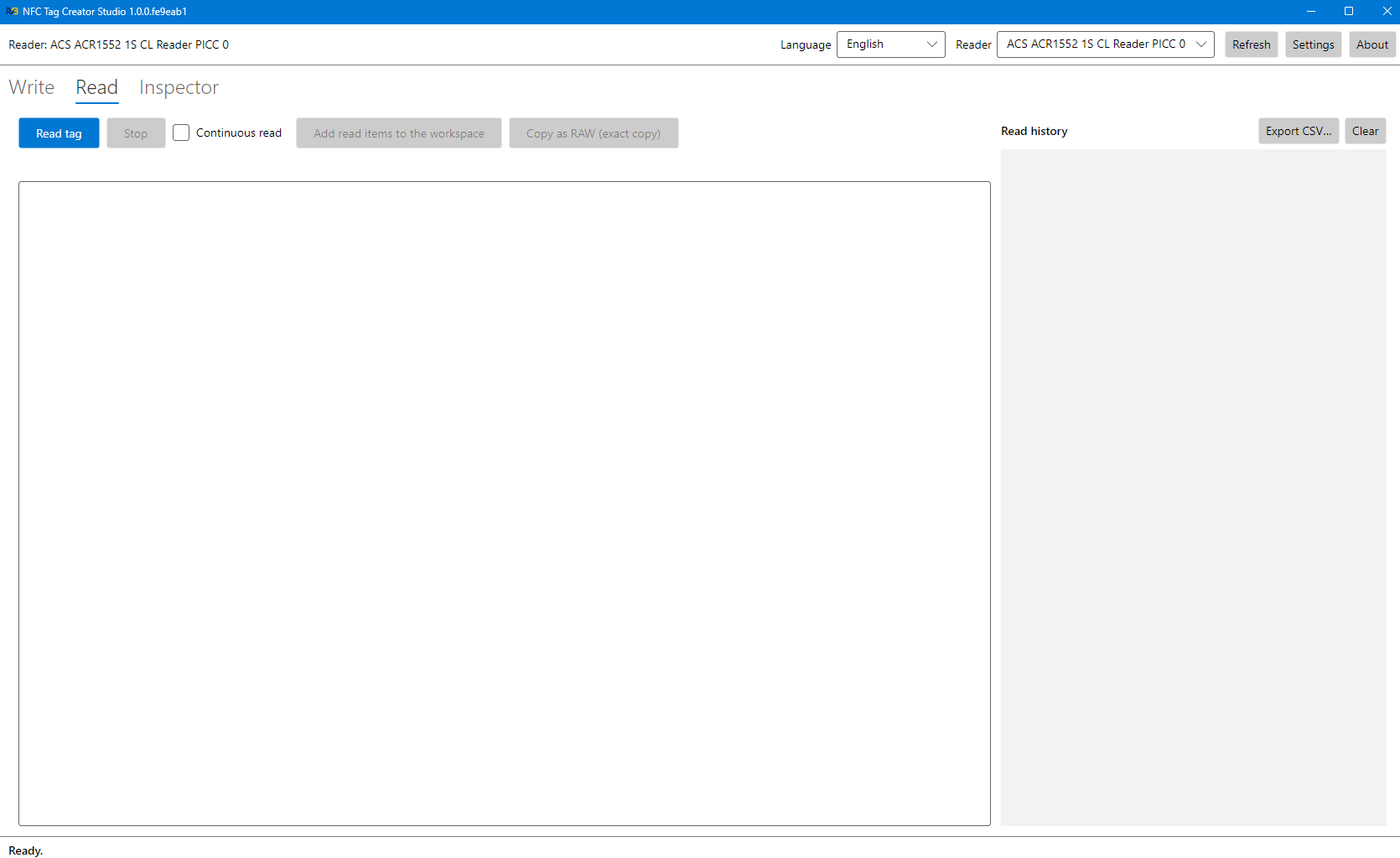
Read tag after tag and keep a history (time, UID, type, content) with CSV export. Move what you read straight to the workspace.
Memory inspector
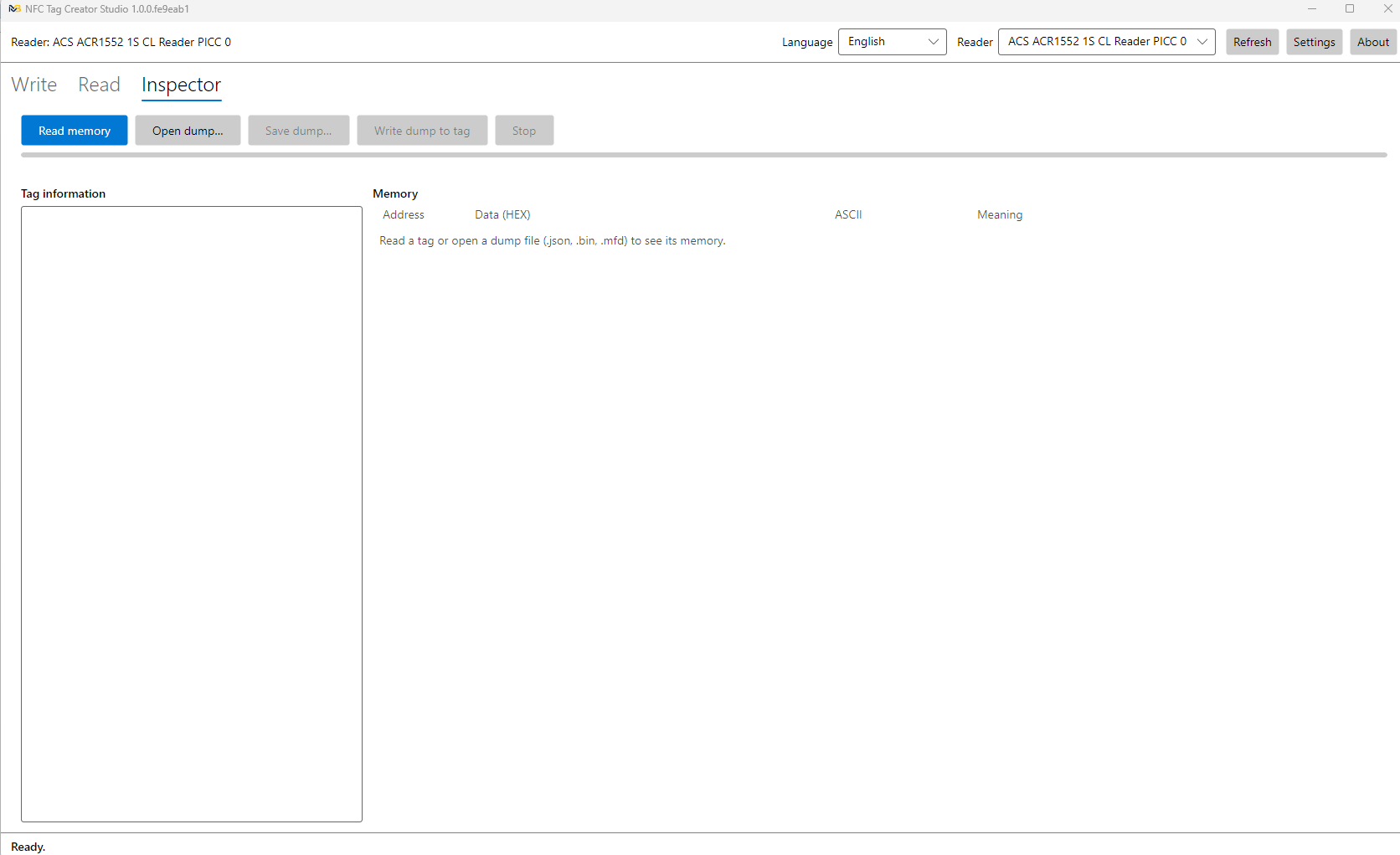
The full tag memory in HEX/ASCII with colour-coded areas: UID, lock bytes, CC, NDEF, configuration, MAD. Dump to .json, .bin or .mfd.
Cloning
Copy content from a dump to one or many tags — even of a different type, e.g. NTAG215 → NTAG213 or MIFARE Classic.
Wiping
Wipe a tag with one click, or enable “wipe before writing” for the whole batch.
Project files
Save projects to files, reopen recent ones and import contacts from .vcf files (e.g. from Outlook or your phone). Autosave restores your work on the next start. The tag password is never saved to the file, and the default password in settings is stored encrypted.
5 UI languages
English, Polski, Deutsch, Español, Français — switch at any time.
“On the phone” preview
See what Android and iPhone will do with each item when the tag is tapped. The app also suggests what to move to the top so the tag works on both systems.
Sound signals
A computer sound and the reader’s buzzer report the result of every tag: written, skipped or error. No need to watch the screen during batch work.
Undo / redo
Ctrl+Z / Ctrl+Y for every change in the workspace — up to 200 steps back. Duplicate items with one click and reorder them by dragging.
NXP chip originality
The app checks the ECDSA signature written into the chip by NXP and shows at once whether the tag is genuine or a clone.
Read counter and ASCII mirror
Turn on the NTAG21x hardware read counter and append the tag UID or counter value to a web address – every tap opens a unique link.
Advanced protection
Read password, protection from a chosen page, a failed-attempt limit, custom PACK and configuration lock. On MIFARE Classic – separate read and write passwords.
MIFARE Classic tools
A key dictionary (built-in and from .dic / .keys files) to read protected sectors, plus a viewer and calculator for each sector’s access bits.
Built-in help
Every feature described, with search. The ? icons next to window sections and the F1 key open help right on the relevant topic.
Diagnostics
A live APDU console, a support report with reader details and logs – solve reader or tag problems faster.
Advanced features – NXP originality, read counter, ASCII mirror, advanced protection and the MIFARE Classic tools – are included in the Personal Pro and Business licenses. The demo version lets you try them all.
Screenshots
See the app in action
Compatibility
Supported tags
| Chip | Write / read | Password | Permanent lock |
|---|---|---|---|
| NTAG213 / 215 / 216 | ✓ | ✓ | ✓ |
| NTAG210 / 212, MIFARE Ultralight EV1 | ✓ | ✓ | ✓ |
| NTAG I2C / I2C plus 1k | ✓ | – | ✓ |
| NTAG I2C / I2C plus 2k | ✓ (1008 B) | – | – |
| MIFARE Ultralight, Ultralight C, NTAG203 | ✓ | – | – |
| MIFARE Classic Mini / 1K / 4K | ✓ | ✓ (key B) | – |
Factory-blank tags are formatted for NDEF automatically on the first write.
Requirements
Runs on your system
Windows
Windows 10 / 11 (x64). MSI installer, no administrator rights needed.
Linux
Any current x64 or ARM64 distribution with the pcscd service. DEB package for Ubuntu / Debian, tar.gz archive for others.
macOS
Apple Silicon and Intel.
NFC reader
A PC/SC-compatible USB reader. The app has been tested with the ACS ACR1552U, but it should also work with many other readers.
Reading, writing and wiping use standard PC/SC commands. Password protection and permanent lock use native ACS reader commands. No .NET installation required — everything is bundled.
Ready to get started?
Download the app and try every feature in the demo version. Then choose a license in the shop and enter the key you receive in the app.
Contact
Got questions?
Questions about the app, feedback, volume orders — drop us a line.